
Guest Preferred Language
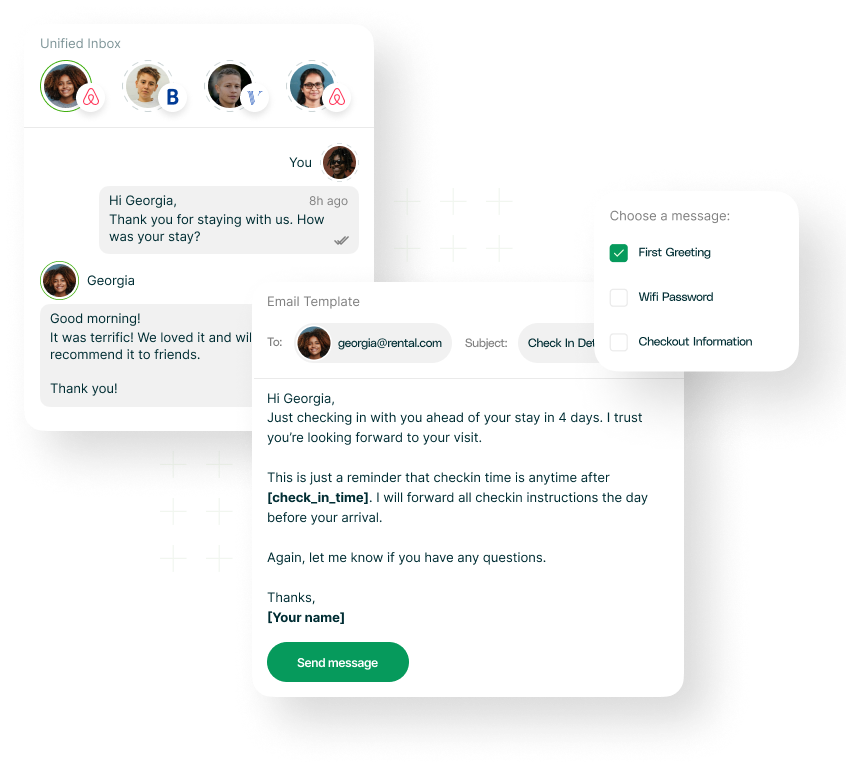
In the fast-paced and diverse Short-Term Rental industry, being able to communicate with guests in their preferred language is key to providing a great experience. RentalWise makes this simple by allowing you to send automated messages in the guest’s chosen language via the Unified Inbox.
Step 1: Add Your Languages
Go to Settings → Languages, then click Add Language.
From the drop-down menu, select the languages you want to support. You can add as many as needed from the available list.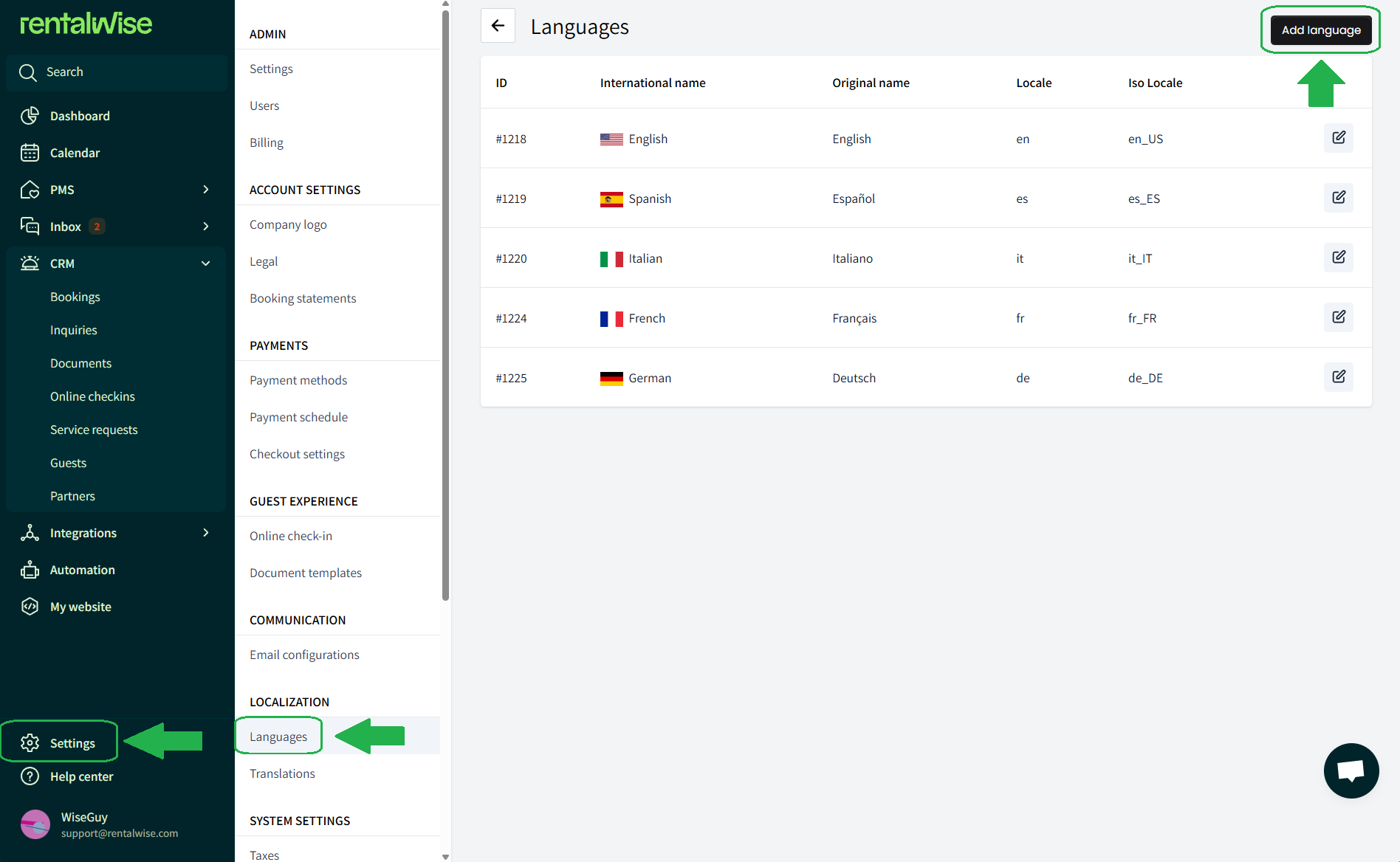
Step 2: Translate Your Message Templates
Once you’ve added your desired languages, head to Inbox → Message Templates and select the messages you want to translate.
Click on See All Languages and enter the translated version for each.
Pro tip: You can use an external translator if needed, but be sure to keep the merge fields (like {{ guest.first_name }}) exactly as they are to ensure the message works correctly.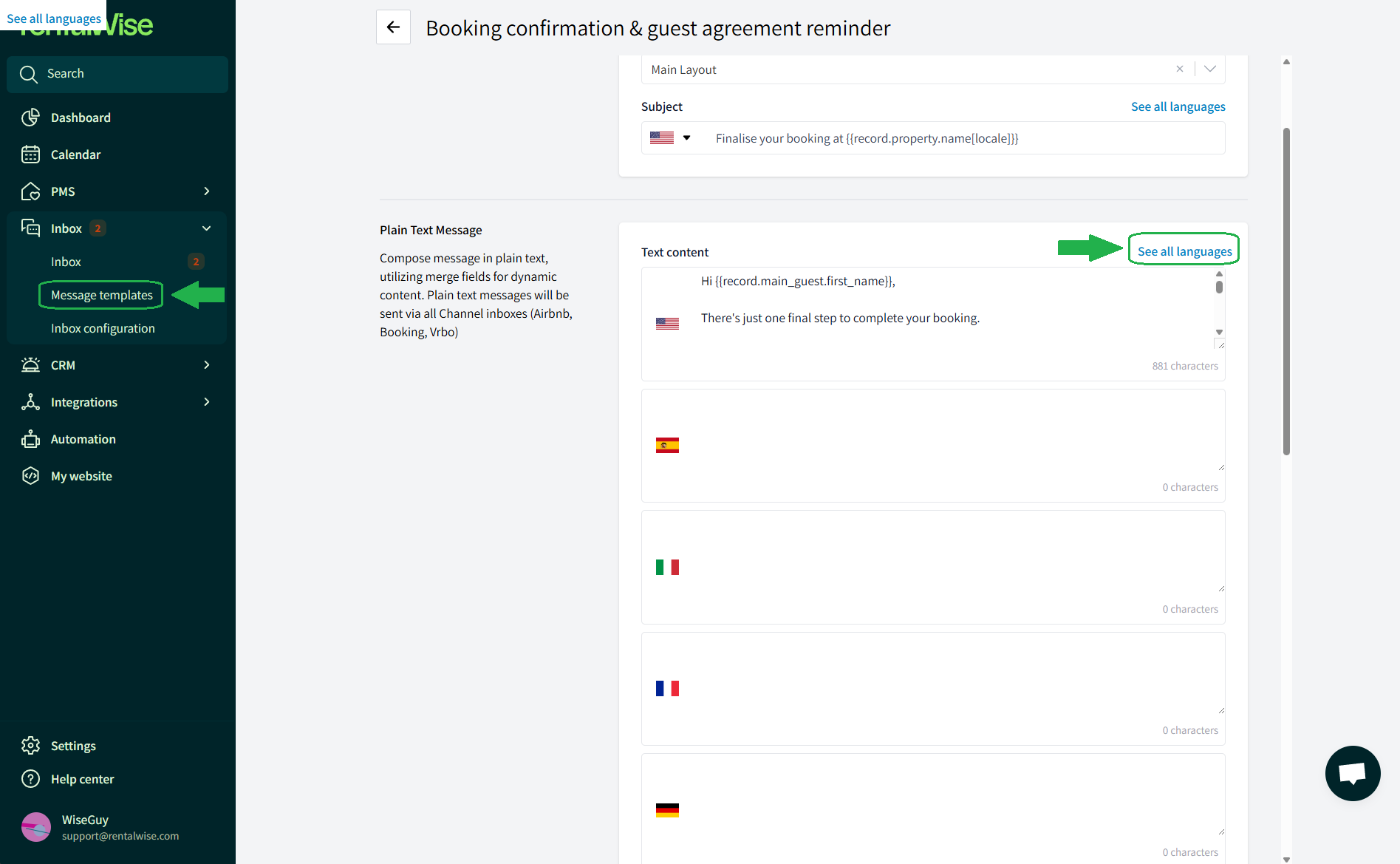
Step 3: Set the Guest’s Preferred Language
After a guest makes a booking, a guest profile is automatically created in your RentalWise account.
Go to CRM → Guests, select the guest, click Edit, and assign their Preferred Language.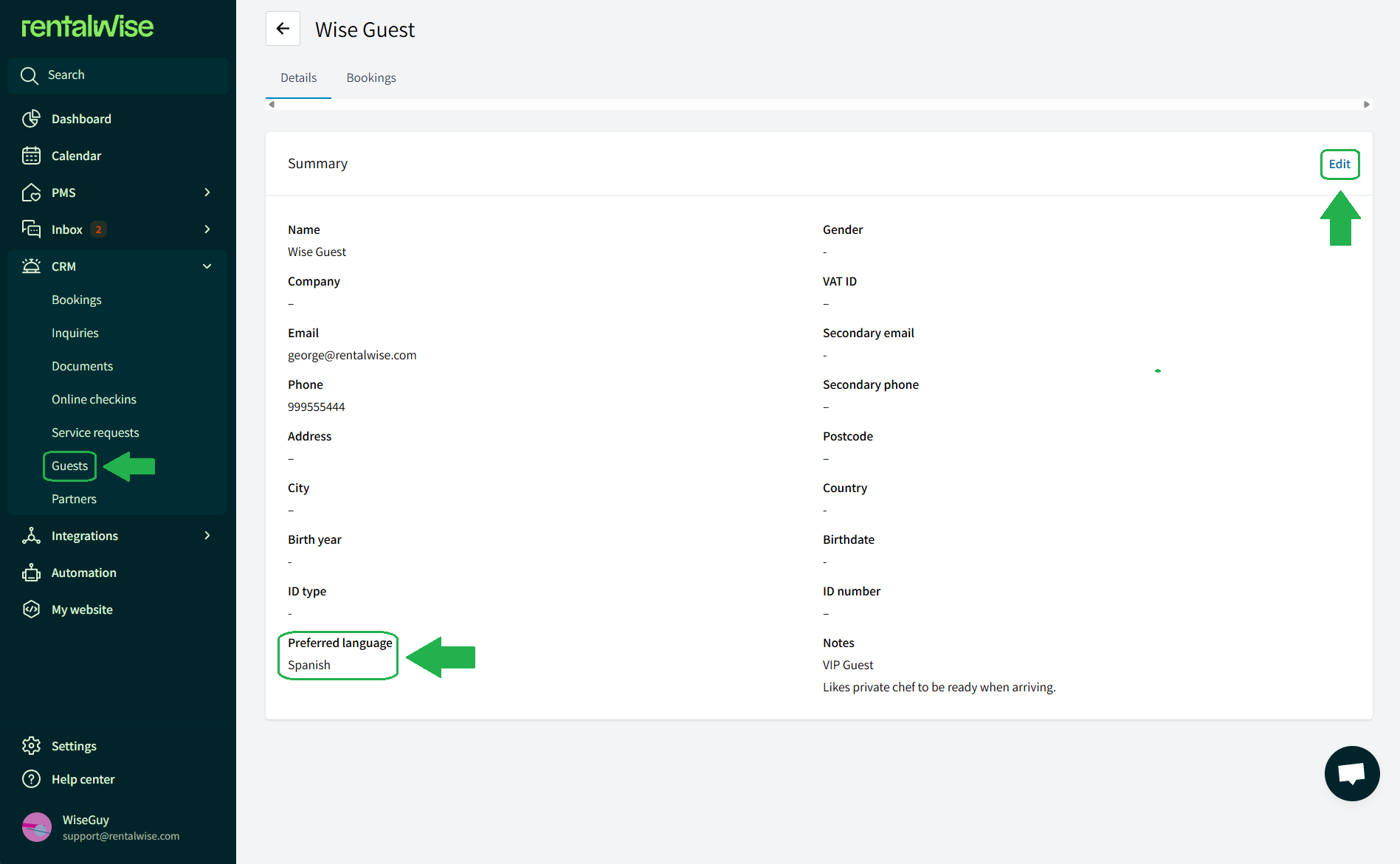
Once set, all future automated messages to that guest will be sent in their chosen language.
Important Notes
This process is currently manual, but automation is planned for future updates.
Messages will only be sent in the guest’s preferred language if translations have been added for that template, otherwise, it will be sent in english by default.
Best Practices for Guest Preferred Language
To make the most out of this feature and ensure a smooth, guest-friendly communication flow, consider the following tips:
Prioritize your core templates.
Translate the most important messages first—confirmation messages, check-in instructions, check-out instructions, and payment-related notifications. These have the highest impact on the guest experience.Maintain consistent merge fields.
When translating, never alter or remove merge fields such as{{ guest.first_name }}or{{ record.checkin }}. This keeps your messages accurate and dynamic.Use natural-sounding translations.
Machine translation is helpful, but for high-value properties or important workflows, consider having a native speaker review your key templates to keep the tone clear and professional.Match tone to culture where possible.
Some languages favor more formal phrasing (e.g., German, French), while others lean toward casual tone. Slight adjustments can significantly improve guest comfort.Keep templates updated.
Any time you update your main English messages, revisit the translated versions as well. Consistency prevents confusion and ensures guests always receive the correct information.By following these practices, you’ll deliver a smooth and personalized communication experience for guests across the globe, enhancing both clarity and satisfaction.
With these steps in place, you’ll ensure every guest receives clear, personalized communication in their preferred language—strengthening trust, reducing misunderstandings, and elevating their overall experience. As your guest base becomes more diverse, this simple workflow becomes a powerful tool for creating smoother stays and more professional interactions across the board.