
Having full control over your bookings and availability is a core principle at RentalWise. To support this, your RentalWise Website includes a Hold functionality that allows you to temporarily reserve dates for a guest while they complete their payment.
With this feature enabled, guests can place a reservation and lock in their selected dates for a defined period of time. During this window, the dates are blocked on your calendar until payment is completed. This is especially useful for guests who may need additional time to confirm details with other travelers or arrange funds—similar to how an online store reserves items in a cart before checkout is finalized.
This approach helps reduce lost bookings while still protecting your availability.
Key Information About the Hold Functionality
The Hold functionality can be configured for both Instant Book & Request to Book properties.
You can choose to apply no hold at all or set a hold duration of up to 3 days.
While the hold is active, the selected dates are blocked across all connected channels.
The hold is automatically released once payment is successfully completed.
Automatic confirmation works only if the guest selects an online payment provider (such as Redsys, PayPal, Stripe, etc.).
If the guest selects a payment method that does not support online payments, you will need to manually confirm the payment, as the system cannot automatically validate it.
How to Set Up the Hold Functionality
Step 1: Navigate to MY WEBSITE → CUSTOMIZE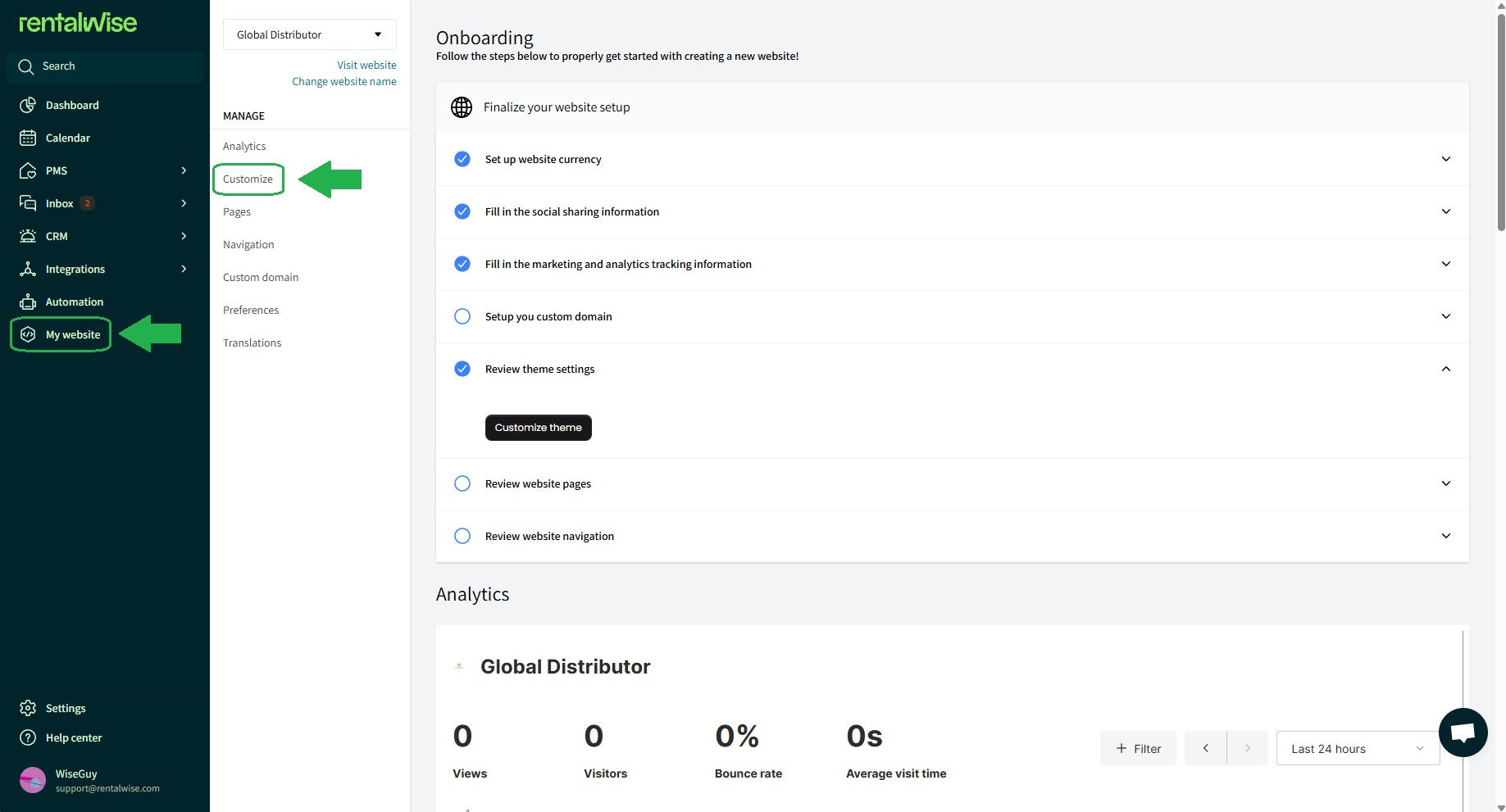
Step 2: From the dropdown menu in the top-left corner, select the “CREATE A BOOKING” page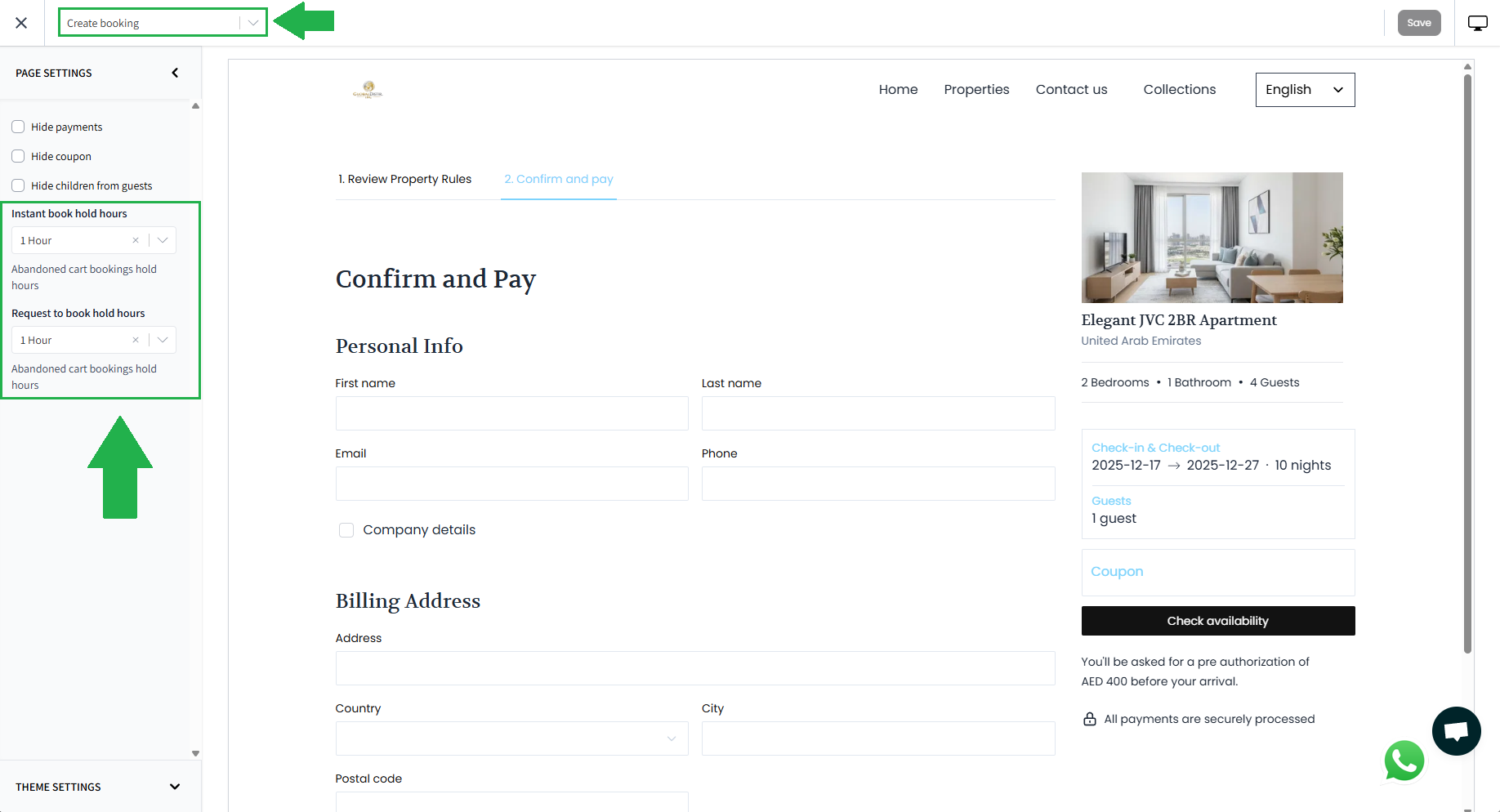
Step 3: Configure the desired Hold duration based on your booking preferences
Once saved, the Hold settings will apply to all bookings made through your RentalWise Website.
Do’s and Don’ts
Configure the Hold duration carefully, as held dates are blocked across all connected channels, not just your website.
If a guest needs additional time, you can manually extend the hold for up to 72 hours, regardless of your default configuration.
Always ensure you have a payment provider properly configured to allow automatic payment confirmation and avoid unnecessary manual follow-ups.
Avoid setting long hold durations unless necessary, as this may reduce overall booking availability.
Used thoughtfully, the Hold functionality gives you a balance between flexibility for your guests and control over your inventory—helping you secure more bookings without sacrificing calendar accuracy.