
With over 20 years of industry experience, we understand the importance of effective team management in property operations. This is why we developed the Users & Roles sections, and a dedicated Homeowner Portal.
In addition to managing homeowners, this portal allows you to integrate other team members, such as cleaning staff, if you prefer not to use available integrations. (For more on Roles & Features, click here.)
Steps to Add a Homeowner:
Access Users Module: Go to Settings > Users > Add User to create a new homeowner profile.
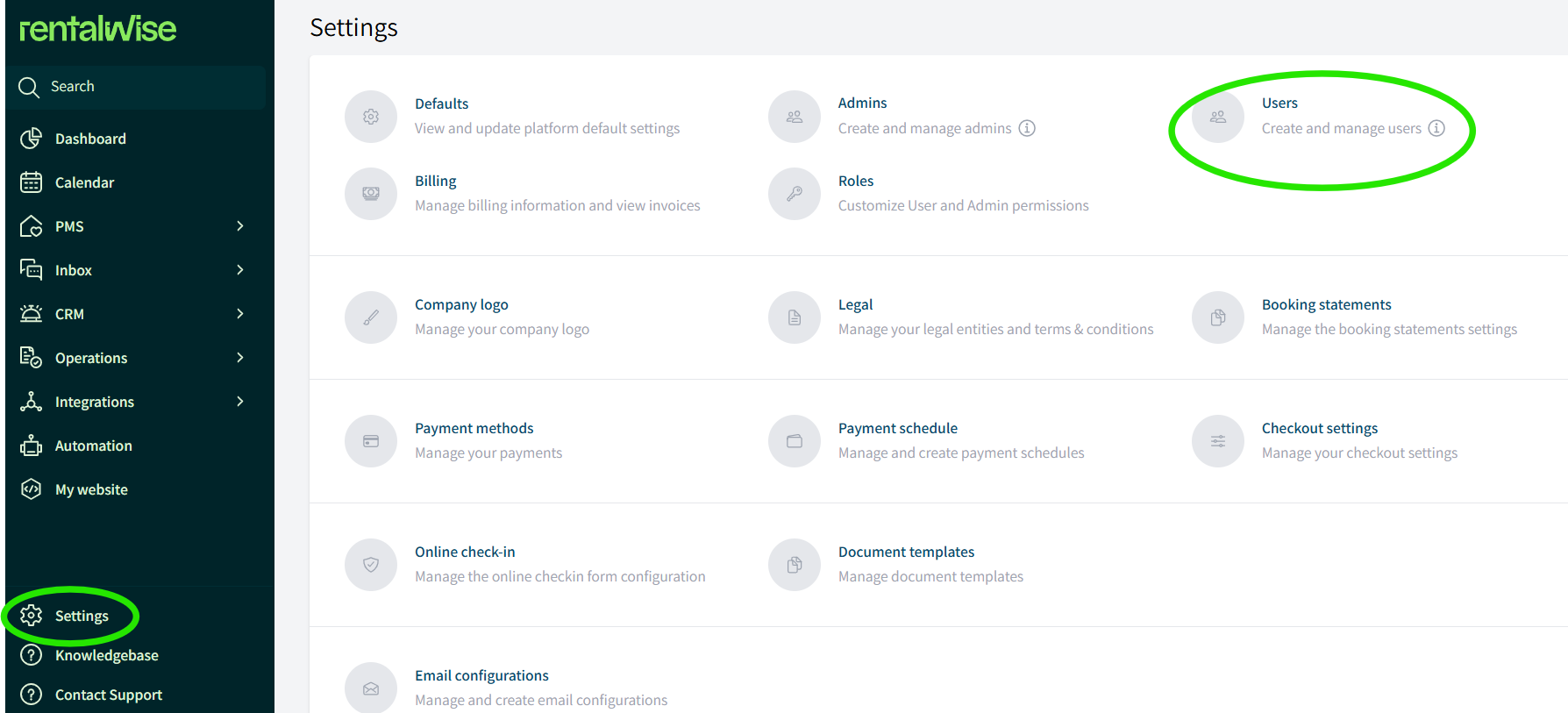
Add a User and add a Login: Create the User and Add Homeowner Login.
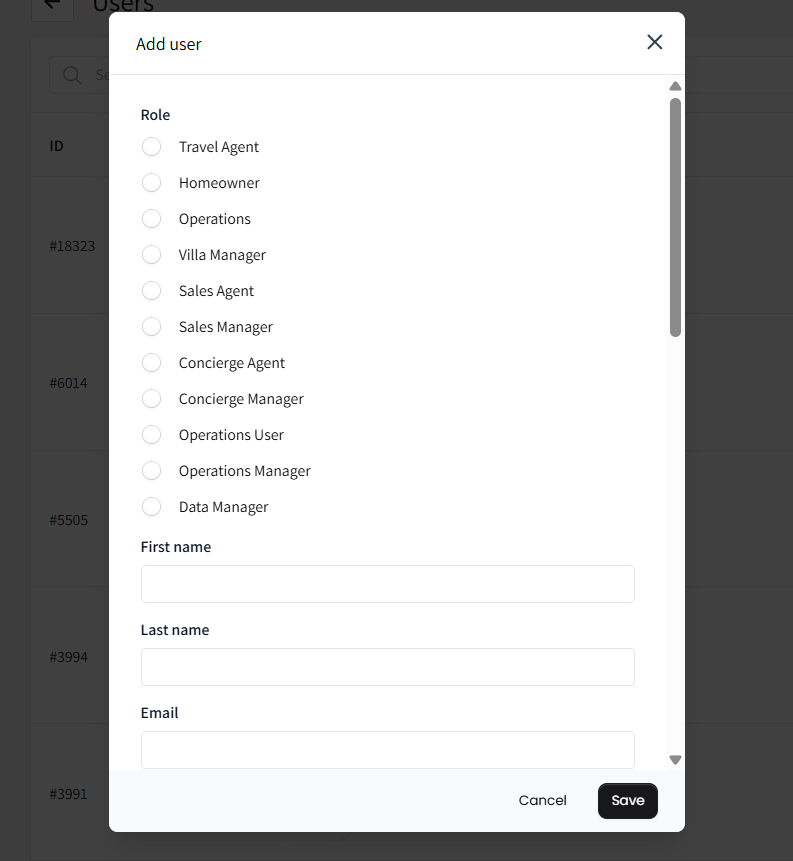
Assign Role: Choose the Homeowner role to provide access to the Homeowner Portal.
Send Invitation: An email invitation with a link will be sent to the homeowner, allowing them to set a password and access the platform.
Assigning Properties and Configuring Revenue Shares:
Before or after the homeowner has logged in, assign properties to them so they can view essential details, including calendar availability and financial information. 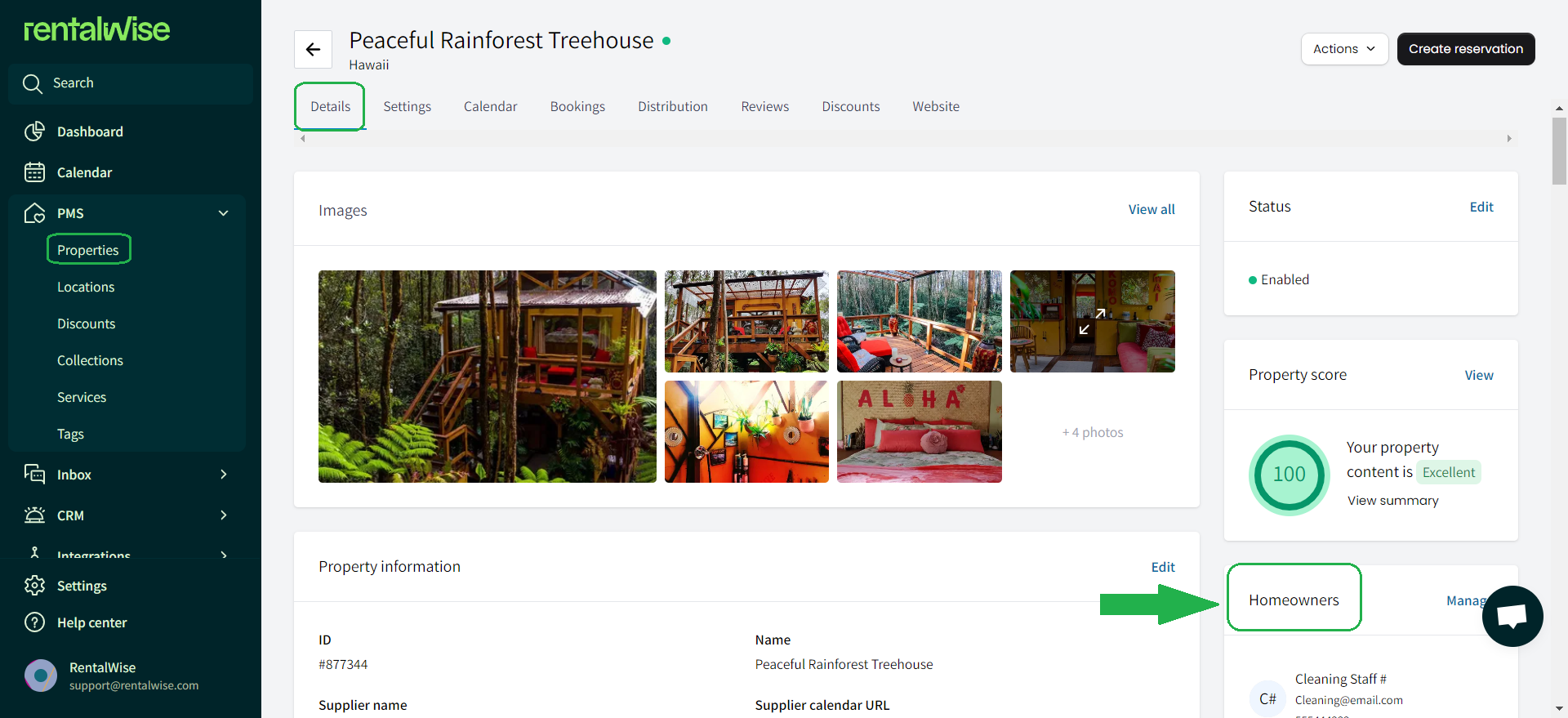
To configure financial details, go to Property Settings > Host Revenue Share and set the share percentage specific to that homeowner.
This setup ensures homeowners have all necessary information at their fingertips, enhancing their management capabilities.